
Nilvanta Technologies · Nilvanta One 8.3
One ERP for the business, the hospital and the campus.
Finance, HR and payroll, supply chain, hospital, education and costing on one database, in English and Arabic, with the tax rules of Saudi Arabia and India built in.
▶ Try the demo A live Procure-to-Pay demo in about four minutes, with text and voice - no sign-up.
Built for four kinds of organisation
The same platform, with modules that speak each industry's language.
Hospitals
Patients, OP, IP, emergency, theatre, pharmacy, billing, insurers and TPAs, lab, radiology and blood bank.
Explore →Colleges and schools
Admissions to alumni: timetable optimiser, attendance, exams, fees, LMS, hostel, transport and library.
Explore →Manufacturing
Cost per tonne by plant stage, products as inventory items, maintenance and stores, all tied to the ledger.
Explore →Companies
Finance, HR and payroll, purchasing, inventory and sales for trading and service companies.
Explore →The modules
Each module is a plug-in. License what you need now and switch on more later, on the same data.
Finance
- GLGeneral Ledgermulti-company, budgets, revaluation, bank reconciliation
- APPayablesinvoices, matching, payments, withholding tax
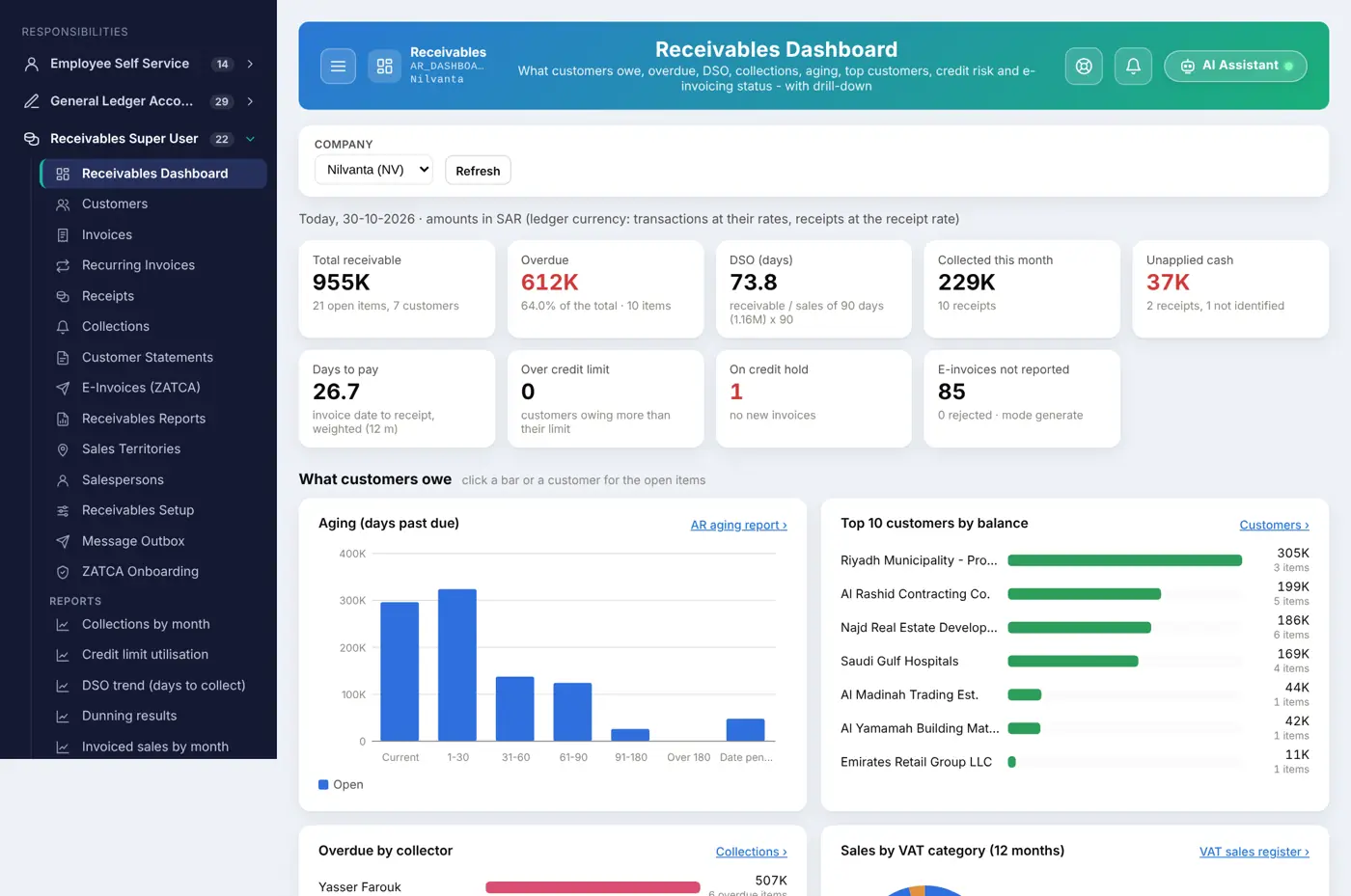
- ARReceivablesinvoicing, collections, dunning, statements
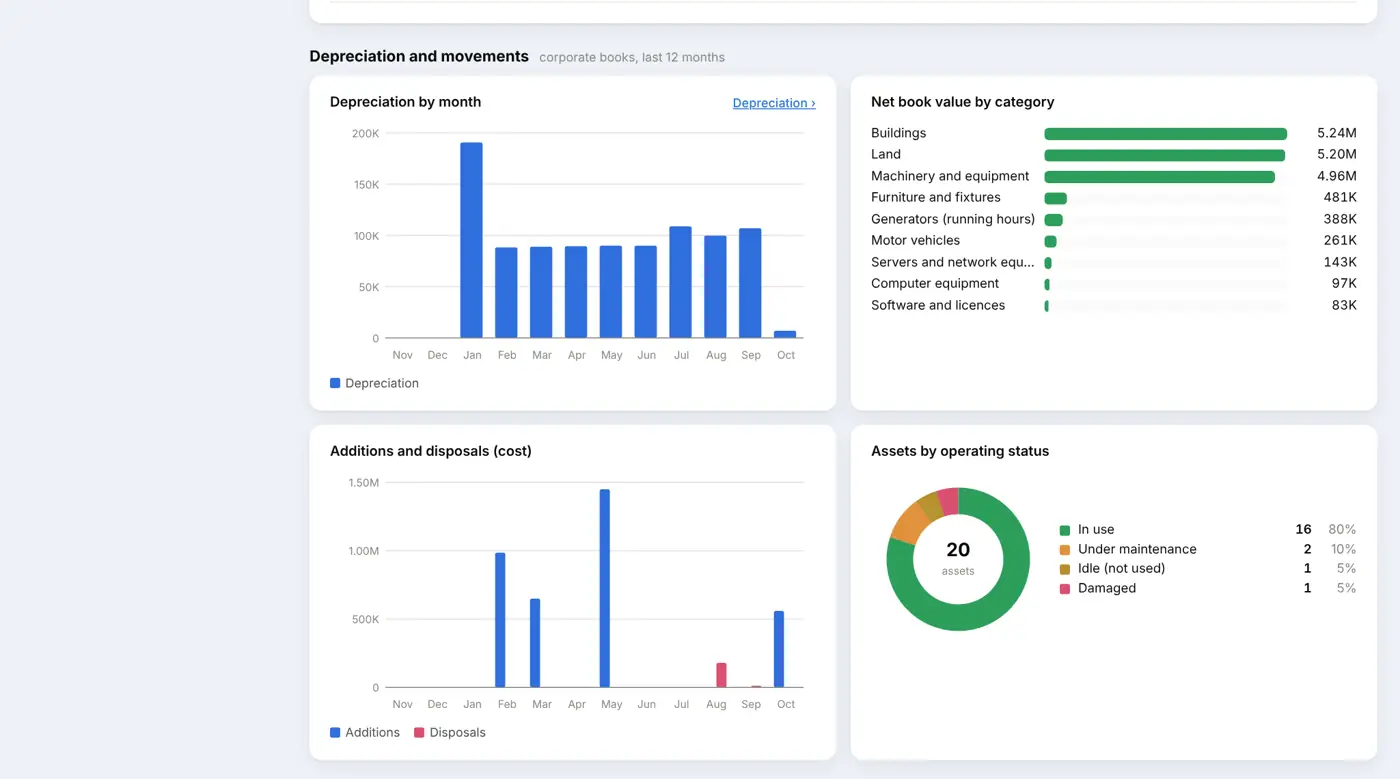
- FAFixed Assetsdepreciation, transfers, verification by QR
- COSTCost Managementstep-down, secondary drivers, product and student costs
People
- HRHuman Resourcesorganisation, employees, documents, self service
- ABSAbsenceleave plans, balances, approvals
- LOANLoansfunds, schedules, deduction through payroll
- PAYPayrollSaudi GOSI and end of service, India PF, ESI, PT, TDS
- SDService Desktickets, SLA, announcements, knowledge base
Operations
- POPurchasingrequisitions, RFQs, orders, receiving, returns
- INVInventorystores, lots and serials, counts, transfers
- SOSalesquotes, orders, pricing, delivery, invoicing
- DMSDocumentsversions, signatures, workflow, retention
- RPTReport Designervisual builder and SQL mode, scheduled reports
Every figure drills down to the document behind it
Dashboards are built from the ledger and the sub-ledgers, not from a copy. Click a bar, then a line, then the voucher.
- Excel and PDF on every table
- Records open full screen with a Back link
- Approvals by amount, role and hierarchy
- An audit trail on every change
Built for control
What finance and audit teams ask for first.
Nothing is deleted
Records are disabled, never removed. History stays readable for audit.
Maker and checker
Money, master data and access changes go through approval rules you set.
Read-only auditors
Give an auditor every screen, export and report, with no way to change data.
Separate database per client
Each organisation keeps its own schema. Backup and restore go to a new schema only.
Secrets stay encrypted
Connection strings and keys are encrypted on the server with Windows DPAPI or RSA.
Your data, your server
Install on your own Windows server with IIS, on Oracle, SQL Server or PostgreSQL.
How a project runs
The Implementation Workbench walks your team through set-up with templates for every master.
Set up
Companies, chart of accounts, branches, approval rules and users.
Load
Import customers, suppliers, items, employees and opening balances from Excel templates.
Run in parallel
Process a month in Nilvanta next to your old system and compare.
Go live
Switch on, train with the user manuals and sign off the test documents.
See Nilvanta on your own processes
We'll walk through the modules you need with sample data from your industry: a hospital group, a nursing college or a cement plant.